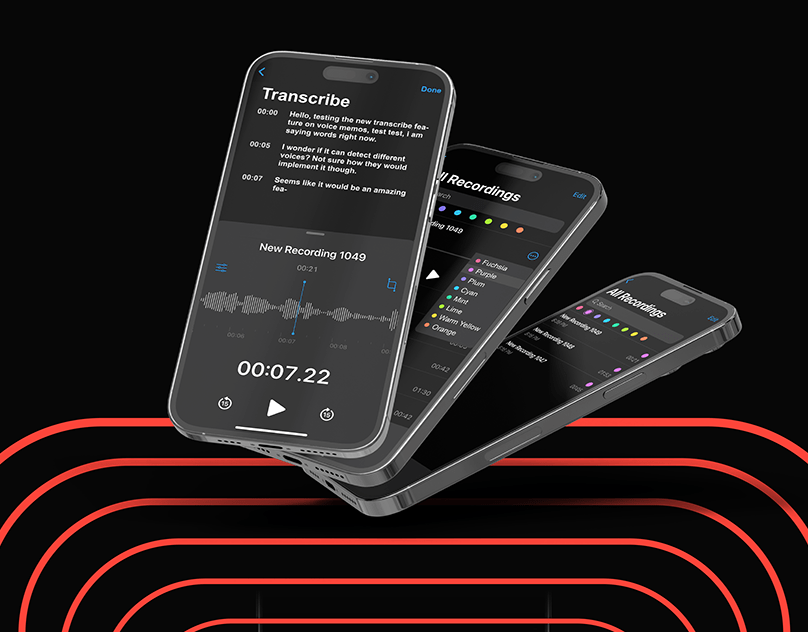
With the release of the Voice Memos update, Apple has made a major advancement in mobile music production. The update is only available on the iPhone 16 Pro and iPhone 16 Pro Max. Layered Recordings is a tool that lets users record vocals over instrumental recordings straight from their smartphones. Users do not need headphones or a studio setup.
Layered Recordings iPhone uses sophisticated machine learning to extract vocals from background instrumentals. It produces two distinct tracks using the capabilities of the A18 Pro CPU and iOS 18.2. With the release of the Voice Memos update, Apple has made a major advancement in mobile music production. The update is only available on the iPhone 16 Pro and iPhone 16 Pro Max.
Famous Personality Tried Layered Recording
Not all users will benefit from this update. Perhaps This Christmas, a recent holiday song by GRAMMY Award winners Michael Bublé and Carly Pearce, along with producer Greg Wells, used the function. The team recorded the song exclusively on the iPhone 16 Pro. It demonstrates how Apple’s Layered Recordings can turn ideas into well-produced music at any time or location.
Michael Bublé said, “I don’t think people realize how important Voice Memos on the iPhone are to musicians’ creative process.” “The constraints of a conventional studio are transformed into creative freedom with Layered Recordings.”
Locating Your Dual-Track Tapes
A dual-track symbol identifies a two-track audio recording. This makes it easy to distinguish it from single-track recordings that either contain a speech bubble or nothing at all.
Track Layers Are Divided Into Separate Files
You can make separate M4A files and extract the layers from the QTA file if you only want to deal with one of the layers in a dual-track recording. First, click the More (•••) button and choose the file from the list view. Then, click “Separate Layers.”
As an alternative, launch the file’s editor, select “Separate Layers,” and touch More (•••).
The separated tracks are viewable in “All Recordings.” Unfortunately, the divided tracks would also not show up in a custom folder containing the original file. However, you can find them under “All Recordings.”
How Do Layered Recordings Get Used?
On an iPhone 16 Pro or iPhone 16 Pro Max, you can use the Layered Recording capability by doing the following:
- Launch the Voice Memos application.
- Tap the waveform icon to launch the editor view after selecting the recording to which you wish to apply a layer.
- On the waveform layer, tap the addition (+) button.
- Decide which layer to record on.
- Take a note of your second layer.
- To save, tap Done.
- Select “Save as New Recording” or “Save as Recording.”
Conclusion
The ability to import Layered Recordings iPhone straight into Logic Pro sessions is revolutionary, according to music experts. Vocalists can record layers without losing a beat by using Voice Memos to get compressed instrumentals from producers.
Users record vocals and then sync them back to Logic Pro on a Mac or iPad for final adjustments.
Users of the iPhone 16 Pro and iPhone 16 Pro Max running iOS 18.2 can now access the Layered Recordings functionality. Likewise, Logic Pro users running macOS Sequoia 15.2 or iPadOS 18.2 can import and edit layered recordings.